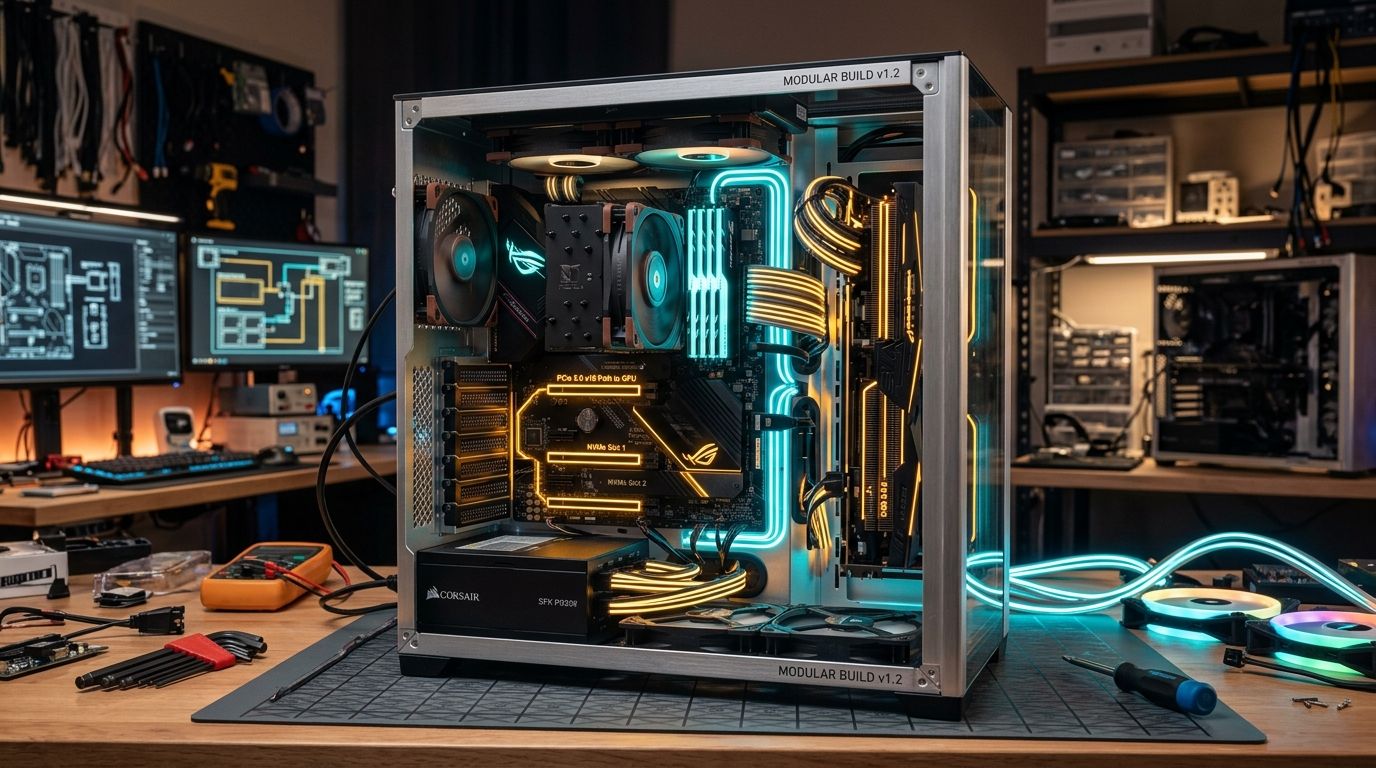
Imagine two desktop computers sitting side by side on a workbench, both built with the exact same budget. Computer A produces 20% higher frame rates in modern games and renders video projects noticeably faster right now, but it is built on a mature, end-of-life platform. Computer B runs slightly slower today, but its motherboard and memory belong to a current-generation platform that will let you drop in a significantly faster processor three years from now without changing another part. Which of these two machines is actually the better purchase?
The frustrating, completely honest answer is: it depends. It does not depend on generic hardware mantras or corporate marketing slogans about 'future-proofing.' It depends on your actual budget, your daily workload, how often you realistically upgrade your machine, and whether paying extra for tomorrow's potential compromises the computing experience you desperately need today.
In our first guide, How to Choose PC Parts: Where Your Budget Actually Matters, we established the fundamental rule that your workload dictates how your money should be distributed across components. This article addresses the next critical fork in the road: once you know what components you need, should you spend your fixed budget on the absolute maximum performance you can extract today, or should you sacrifice a slice of that performance to buy into a platform that makes future upgrades cheaper and easier?
Understanding 'Performance Now'
Maximizing immediate performance means allocating every possible dollar to the active computational engines—the graphics card (GPU), processor (CPU), memory capacity (RAM), and fast storage—while using a mature, cost-effective platform to host them.
When you choose a mature platform, motherboard pricing is typically lower, memory standards (like DDR4) are thoroughly commoditized, and firmware is mature and rock-solid. Because the motherboard and RAM consume a smaller percentage of your total financial envelope, more money flows directly into a higher-tier graphics card or a processor with more cores.
Advantages of Performance Now
- Immediate Computational Power: Higher frame rates, faster render times, and better responsiveness from day one.
- Superior Price-to-Performance Ratio: Mature hardware components offer proven value without the 'early adopter' tax.
- Ecosystem Stability: Platform bugs, memory compatibility quirks, and BIOS instability have long been resolved.
- Zero Wasted Budget: No money is locked away in theoretical future features that you might never end up using.
Disadvantages of Performance Now
- Defined Upgrade Ceiling: The fastest processor the socket will ever support is already known and on the market.
- Higher Replacement Cost Later: When you eventually want a faster CPU, you must replace the motherboard and RAM simultaneously.
- Older Interconnect Standards: May lack support for newer PCIe generations or higher-speed peripheral interfaces.
- Steeper Platform Depreciation: Mature platform components lose resale value more rapidly once manufacturing halts.
What Does 'Upgradability' Actually Mean?
A lot of builders confuse upgradability with the simple ability to open a case and swap out a graphics card. Nearly every standard ATX or Micro-ATX desktop PC built in the last fifteen years allows you to replace a GPU, add an NVMe SSD, or plug in more memory sticks, provided the power supply and case clearances allow it.
True platform upgradability answers a much more difficult question: What can I upgrade three or four years from now without being forced to replace the entire foundation of the system?
To understand this, we must examine the concept of Platform Cost. In desktop architecture, the CPU, motherboard, and RAM form an intimately interconnected triangle. When a chip manufacturer changes the physical socket or transitions to a new memory standard, upgrading your processor creates a domino effect: you cannot replace the CPU without buying a new motherboard, and you cannot buy the new motherboard without purchasing an entirely new kit of RAM.
When you invest in a newer platform, you are essentially pre-paying a premium on the motherboard and memory in exchange for the right to swap out the CPU later without triggering that expensive three-part replacement cycle. That platform premium is money that cannot be spent on your current GPU or CPU.
Real-World Case Study: AMD AM4 vs AM5
There is no better real-world illustration of this dilemma than AMD's transition from Socket AM4 to Socket AM5. It is a masterclass in platform economics, and analyzing it reveals why neither option is universally superior.
Socket AM4 is widely regarded as one of the most successful desktop platforms in computing history. Introduced in 2017, AMD maintained socket compatibility across four CPU microarchitectures (Zen, Zen+, Zen 2, and Zen 3), eventually culminating in groundbreaking gaming chips like the Ryzen 7 5700X3D and 5800X3D. A builder who bought a competent AM4 motherboard in 2018 or 2019 was able to drop in a high-end 2022 processor with a simple BIOS update. Today, AM4 remains a remarkably cost-effective option for budget builds: B550 motherboards are affordable, DDR4 memory is exceptionally cheap, and processors like the Ryzen 5 5600 provide excellent baseline compute performance.
However, AM4's story is written. The upgrade ceiling is fixed. If you build an AM4 system today with a Ryzen 7 5700X3D, there is no future processor generation you can upgrade to. Your next CPU upgrade will require a brand-new motherboard and DDR5 RAM.
Socket AM5 represents the forward-looking alternative. It introduced DDR5 support, expanded PCIe 5.0 lane availability, and higher electrical power delivery envelopes. Crucially, AMD officially announced at Computex 2024 that their commitment to Socket AM5 extends through at least 2027. This means that builders entering AM5 today can reasonably expect future processor architectures to be compatible with their current motherboards.
However, entering AM5 carries a distinct platform premium. DDR5 memory is more expensive than DDR4 per gigabyte, and AM5 motherboards—engineered for higher signaling integrity and stricter power delivery—carry higher manufacturing costs. If your total budget is constrained to $700 or $800, paying that AM5 platform tax might force you to drop from an RTX 4060 down to an entry-level GPU, or reduce your SSD capacity from 2TB to 500GB. You gain theoretical upgrade flexibility, but your gaming performance today suffers substantially.
Furthermore, socket longevity does not guarantee universal motherboard compatibility. A bargain-basement entry-level motherboard with a weak, unheatsinked 4-phase VRM may technically accept a future 16-core flagship CPU, but its power delivery will overheat and throttle the processor into mediocrity. Platform longevity only functions if the motherboard's electrical foundation is robust enough to handle the chips of tomorrow.
Hypothetical Build Comparison: Performance-First vs Upgrade-First
To see how this trade-off manifests in real purchasing decisions, consider two hypothetical systems built with the exact same total budget allocation:
| Comparison Factor | Build A: Performance-First | Build B: Upgrade-First |
|---|---|---|
| Platform Generation | Mature / End-of-Lifecycle (e.g. AM4 / DDR4) | Current / Forward-Looking (e.g. AM5 / DDR5) |
| Motherboard Allocation | Economical, mature B-series board | Quality midrange board with robust VRMs |
| Memory Architecture | High-capacity DDR4 (e.g. 32GB 3200MHz) | Modern DDR5 kit (e.g. 32GB 6000MHz CL30) |
| GPU Allocation Share | Higher tier (e.g. 45%–50% of budget) | Moderate tier (e.g. 35%–40% of budget) |
| Immediate Performance | Higher FPS in GPU-bound games today | Moderately lower immediate GPU throughput |
| 3-Year Upgrade Complexity | Requires replacing CPU + Motherboard + RAM | Drop-in CPU replacement with simple BIOS flash |
| Ideal User Profile | Builds once, uses 5+ years without touching parts | Enthusiast who plans incremental CPU/GPU swaps |
The Most Important Question: Will You Actually Upgrade?
Here is an uncomfortable truth that many PC building guides refuse to admit: a vast percentage of PC builders spend hundreds of extra dollars on 'future-proofing,' and then never upgrade a single internal component. Five or six years later, when games finally begin to struggle, they simply give the old PC to a sibling or sell it complete on the used market and build an entirely new machine from scratch.
If you belong to that category of user, paying a 25% premium for an upgrade path you will never walk down is an irrational allocation of money. Before you choose an upgrade-oriented platform, honestly evaluate your historical computing habits:
- User Profile A: The Long-Cycle Builder (5 to 7 Years): You build a PC, place it under your desk, and use it until modern software no longer runs smoothly. You do not open the case to swap processors. For you, Performance Now is the undisputed champion. Every dollar should maximize your day-to-day experience today, because by the time you are ready to upgrade, even the 'newer' platform will be obsolete.
- User Profile B: The Midrange Incremental Upgrader (2 to 4 Years): You enjoy upgrading your graphics card or processor midway through a console generation. You keep your case, power supply, and storage drives across multiple cycles. For you, Upgrade Flexibility offers immense financial efficiency. Swapping just a CPU in year three for $200 extends your system's relevance without forcing a $500 platform rebuild.
- User Profile C: The Hardware Enthusiast: You frequently experiment with hardware, track new architecture releases, and love optimizing settings. For you, modern platform features, PCIe bandwidth, and memory tuning headroom are part of the hobby itself.
'Future-Proofing' Is Not a Real Product Feature
The term 'future-proof' is marketing mythology. No computer is future-proof. You cannot predict the exact architectural demands of game engines five years from now, nor can you prevent current standards from being superseded. New display interfaces emerge, memory controllers evolve, and PCI-SIG drafts newer specifications.
A far more disciplined engineering objective is Upgrade Flexibility. Instead of asking 'Will this PC last forever?', ask yourself: 'If my computing demands increase in three years, what can I realistically replace without rebuilding the entire computer?'
Component Longevity Realities: CPU vs GPU vs Platform
Understanding where upgrades hit bottlenecks requires looking at each major subsystem independently:
1. CPU Upgrades: The Hidden VRM Bottleneck
Socket compatibility is only the first hurdle. To successfully upgrade a processor years down the line, your motherboard must meet three criteria:
- BIOS Microcode Support: The motherboard manufacturer must actively publish BIOS updates supporting newer microarchitectures. Reputable manufacturers have strong track records here, but ultra-budget OEMs sometimes abandon older boards.
- VRM Power Delivery: Voltage Regulator Modules convert 12V from the power supply into the clean ~1.1V to 1.3V required by the CPU cores. If you buy a budget board with weak power delivery for an entry-level 65W chip, dropping in a future 120W or 170W processor will cause the VRMs to exceed 105°C and throttle performance.
- Thermal Dissipation: Ensure your CPU cooler mounting bracket has cross-generational support or easily obtainable adapter kits.
2. GPU Upgrades: The Power and Dimension Constraints
Graphics cards are relatively platform-agnostic thanks to backward and forward compatibility in the PCIe specification. A modern PCIe 4.0 or 5.0 graphics card will operate comfortably in an older PCIe 3.0 slot with only negligible performance loss in most gaming scenarios. However, GPU upgrades face physical and electrical constraints:
- Power Supply Capacity & Transient Tolerance: Modern high-performance GPUs draw substantial sustained power and generate microsecond transient spikes. A 550W power supply might power a mid-range card today, but upgrading to a higher-tier card tomorrow will require a PSU replacement unless you plan headroom in advance.
- Native Connectors: The adoption of the 12V-2x6 / 12VHPWR standard on newer GPUs means power supplies with native ATX 3.0/3.1 cabling eliminate messy, bulky adapter dongles.
- Physical Case Dimensions: High-end graphics cards have expanded dramatically in length and thickness. A compact case that barely clears a 240mm dual-fan card today will completely block a 320mm triple-slot card tomorrow.
3. RAM Generation: Capacity First, Architecture Second
The transition between memory generations (such as DDR4 to DDR5) always triggers intense debate. In the early days of any new memory standard, high latency and high prices often make the older, mature standard look superior in value. As the standard matures, frequencies climb, latencies tighten, and pricing stabilizes.
However, from a pure daily utility perspective, memory capacity matters infinitely more than memory generation. Running out of 16GB of DDR5 memory and hitting disk swap will destroy your performance ten times worse than running 32GB of stable DDR4 memory. Do not sacrifice basic memory capacity just to say you have DDR5.
The Motherboard Overspending Trap
This connects directly to the core lesson of Blog #1: Do not confuse a NEW PLATFORM with an EXPENSIVE MOTHERBOARD.
A common error builders make when pursuing upgradability is assuming they must purchase a $350 or $500 enthusiast motherboard. They believe the high price tag buys them 'future longevity.' In reality, flagship boards charge exorbitant markups for extreme overclocking circuitry, complex PCIe lane splitters, and niche diagnostic screens that 99% of users never touch.
A sensible $150 to $180 B-series motherboard on a modern platform (such as AM5 B650 or modern Intel chipsets) provides all the VRM cooling, M.2 NVMe slots, and PCIe connectivity required for seamless multi-year upgrades. Spending an extra $200 on an enthusiast motherboard to 'future-proof' a budget system is financial self-sabotage.
The Components That Can Truly Survive Multiple Builds
If you genuinely want to make long-term investments that outlive a single computer generation, the motherboard is actually the wrong place to overspend. The components that reliably survive multiple platform upgrades are:
- A High-Quality Power Supply (PSU): A top-tier, gold or platinum-rated power supply with a 10-year warranty, ATX 3.1 compliance, and 750W to 850W of capacity can effortlessly power two or three successive PC builds across a decade.
- A Spacious, High-Airflow Case: A well-constructed mesh case with robust front I/O, ample GPU clearance (340mm+), and room for 280mm/360mm radiators will never go out of style and does not become obsolete when CPU sockets change.
- Storage Drives: Secondary NVMe drives and high-capacity SATA SSDs transfer seamlessly to any new build without friction.
- Premium CPU Air Coolers: High-end dual-tower air coolers have no pumps to fail, no liquid to evaporate, and reputable cooling manufacturers provide free or low-cost mounting bracket updates for newly released CPU sockets.
The 'Good Enough Today' Principle
Here is the golden rule for resolving the upgradability versus performance dilemma:
Never sacrifice immediate performance to the point where today's computing experience becomes frustrating or inadequate.
If you build an upgrade-friendly machine on a modern platform, but because of platform costs you can only afford a GPU that fails to deliver smooth frame rates on your current monitor, you have failed the build. You have traded real, tangible everyday enjoyment today for the speculative possibility of a cheaper upgrade three years from now.
The rational goal must always be: Good Enough Performance Today + Strategic Flexibility Tomorrow. It must never be: Bad Performance Today + Maybe Great Performance Later.
Local Market Realities: Why US MSRP Advice Fails in MENA
Most hardware advice on the internet is written from the perspective of North American or European markets, where component pricing closely mirrors MSRP and inventory availability is seamless. In regional markets such as Egypt, Saudi Arabia, and the United Arab Emirates, import tariffs, shipping logistics, distributor markups, and local supply chain bottlenecks dramatically alter the financial calculus.
In some local markets, the price gap between DDR4 and DDR5 memory, or between AM4 and AM5 motherboards, can be significantly wider than in the US. In other instances, older hardware remains stubbornly overpriced due to lingering distributor inventory, making the newer platform surprisingly close in total cost.
You must evaluate components not by converting dollar MSRPs in your head, but by calculating the Total System Cost in local currency (EGP, SAR, AED). Add the local price of the CPU, motherboard, and RAM as a package. If the newer platform tax represents only a 10% premium on your total build, choosing the newer platform is usually a no-brainer. If the local platform premium represents a 35% cost jump that forces a major GPU downgrade, the mature platform is decisively the smarter purchase.
The Second-Hand Hardware Factor
Mature platforms carry one massive advantage that is often overlooked: a thriving, highly accessible used hardware market. When a platform has been active for six or seven years, millions of processors, motherboards, and memory kits are circulating in local enthusiast communities.
For budget builders, this creates an alternative upgrade path. You can buy a mature platform today with an entry-level CPU, knowing that three years from now, former flagship processors (like the Ryzen 7 5700X3D or 5800X) will be readily available on the second-hand market at steep discounts. However, used components carry risks: lack of warranty coverage, unknown operating conditions, and potential silicon degradation from aggressive overvolting. If you choose this path, prioritize buying from reputable local hardware communities or certified refurbished sellers.
The Practical Decision Matrix
Use this structured matrix to determine which direction your build should lean:
| Decision Criteria | Prioritize Performance Now If: | Prioritize Upgrade Flexibility If: |
|---|---|---|
| Total Budget Envelope | Strict / Tight budget where every dollar counts | Moderate to flexible budget with headroom |
| Primary Workload | Heavy AAA gaming, demanding 3D render workloads | Esports gaming, coding, office tasks with growing scope |
| Historical Upgrade Habit | You replace the whole computer every 5+ years | You enjoy swapping parts incrementally every 2–3 years |
| Current Experience Threshold | Newer platform would drop GPU below acceptable FPS | Newer platform still comfortably exceeds target FPS |
| Local Component Pricing | New platform motherboards/RAM carry steep local markups | New platform component pricing is close to mature tiers |
| Technical Comfort Level | You prefer a 'set it and forget it' stable experience | You are comfortable flashing BIOS and replacing thermal paste |
Visual Decision Tree
Follow this logical pathway to evaluate your current build proposal:
The Platform Selection Decision Tree
Work through these two core branches based on your immediate performance requirements.
The Kamashka Hardware Approach
At Kamashka Hardware, we reject the notion that good PC advice consists of simply handing someone a list of the newest or most expensive parts on the market. True engineering consulting means understanding where our clients are today and where their work will take them tomorrow.
When we design custom workstations, gaming rigs, and developer systems, we look at the entire lifecycle of the machine: the cost of initial acquisition, thermal reliability in local ambient environments, power supply safety margins, and realistic upgrade trajectories. If you are debating between platforms or balancing a tight budget for your next build, explore our hardware services or reach out to our engineering team—we are here to help you build smart, stable, and balanced computers.
Building a Custom PC?
Explore Kamashka Hardware for balanced component selection, workstation engineering, and build support.
The Complete PC Architecture & Budgeting Trilogy
How to decide which PC components actually deserve the budget based on your workload.
Part 2Should you spend on maximum performance today, or invest in a newer platform for tomorrow?
Part 3Where to cut costs intelligently without creating an unbalanced or compromised build.