Consider how most growing companies actually run their operations. They launch with Google Sheets, email, and WhatsApp. Soon, they add a cloud CRM for sales, an off-the-shelf accounting platform for invoicing, and a project management tool for task tracking. In the early days, this lightweight stack feels fast, flexible, and virtually free. Everything works.
Then the business grows. Sales closes a deal and copies customer details into an operations spreadsheet. Operations manually recreates the order in a scheduling tool. Finance reconciles discrepancies across separate dashboards. Management requests an operational performance report, and a manager spends Sunday afternoon merging CSV exports into a massive, fragile spreadsheet that only one person in the company understands how to formula-check.
At this inflection point, leadership invariably faces a pivotal strategic dilemma: Do we buy another SaaS subscription to patch the cracks, or have our core workflows become specific enough that we should build custom software tailored around our actual business?
The Three Fundamental Strategic Options
When addressing operational friction, executive teams are not limited to a binary choice between buying a commercial product or building an entire proprietary platform from scratch. There are three distinct paths:
Option A: Buy Off-the-Shelf SaaS
Fast & ProvenAdopt an established cloud application (CRM, ERP, ticketing, accounting, HR) designed around standardized industry practices.
- Rapid Time-to-Value: Operational within days or weeks without software development overhead.
- Predictable Initial Cost: Low upfront capital expenditure; vendor funds infrastructure and security.
- Product Maturity: Benefits from thousands of hours of feedback and continuous feature iterations.
Option B: Integrate & Extend (Hybrid)
Build Missing LayerKeep your existing SaaS products for specialized functions, but engineer custom integration middleware to connect them.
- Targeted Investment: Solves data fragmentation without reinventing complex domain features.
- Eliminates Manual Copying: Webhooks and APIs automatically synchronize entities between operational silos.
- Preserves Staff Familiarity: Teams continue using tools they already know while eliminating handoff friction.
Option C: Build Custom Software
Strategic AssetEngineer proprietary software architecture designed specifically around your operational processes and data models.
- Flawless Workflow Fit: Zero compromises; the software mirrors your exact business rules and approvals.
- Complete Roadmap Sovereignty: You control feature prioritization, release schedules, and data architecture.
- Competitive Differentiation: Encodes proprietary operational advantages competitors cannot buy off the shelf.
The Default Rule for Sensible Businesses: Buy First
Let us establish an honest baseline that many software agencies avoid admitting: If an existing, mature SaaS product solves your business problem well at a reasonable price, building that same software from scratch is almost always an unwise investment.
A commercial business does not need to build its own transactional email service when SendGrid or Postmark exist. It should not engineer its own payroll engine when localized payroll platforms exist. It should not build its own video conferencing suite or cloud file storage.
Custom software development should be reserved for solving a genuine business differentiator or overcoming a crippling operational constraint. Building software merely to avoid a monthly subscription fee—or out of executive vanity—invariably results in costly, neglected internal tools that drag down operational focus.
Is Your Workflow Truly Unique, or Just Disorganized?
Before commissioning software development, every executive team must ask: Is our workflow genuinely unique to our business model, or are we simply maintaining disorganized internal habits?
If your business manages standard sales pipelines, standard invoicing, and standard customer support tickets, commercial SaaS embodies industry best practices refined across thousands of organizations. Adapting your internal habits to match a mature SaaS workflow is often healthier than spending capital encoding disorganized habits into code.
However, genuine operational uniqueness is real:
- Complex multi-tiered approval chains dependent on dynamic profit margins and regulatory compliance.
- Proprietary pricing algorithms combining live commodity market rates, supplier freight quotes, and customer volume tiers.
- Custom fulfillment pipelines where warehouse staging depends on specialized machine calibration.
- Specialized field operations with offline dispatching, dynamic route assignment, and multi-party sign-offs.
This leads to the fundamental architectural maxim: Software should support the process; the business should never permanently compromise a valuable competitive process merely to accommodate software limitations.
The Workaround Test & The Workaround Chain
How do you objectively diagnose whether your software stack still matches your operational reality? Apply The Workaround Test.
Maintaining one or two minor software workarounds is normal. But when an operational workflow requires a daisy-chain of manual interventions just to move a transaction from inception to fulfillment, your software stack has broken down.
When employees spend hours downloading CSVs, cleaning headers, texting managers for approvals on chat apps, and re-typing identical records into a secondary database, you are paying a massive hidden operational tax.
The Spreadsheet is Not the Enemy
Spreadsheets are extraordinarily versatile, cost-effective tools that empower teams to prototype new processes in minutes. The crisis occurs not because spreadsheets are flawed, but because the spreadsheet is being asked to perform roles it was never engineered to handle:
- A multi-user relational database without referential integrity.
- An automated workflow engine without state transitions.
- An access control system without granular row-level security.
- An immutable audit log without tamper protection.
When a spreadsheet reaches 40 columns and requires a stern warning—"Do not touch column G or the entire sheet breaks"—your operational complexity has outgrown the medium.
The "Human API" Problem
When System A cannot communicate with System B, management delegates an employee to read information off one screen and manually retype it into another. That employee has become a Human API.
The true costs of the Human API include:
- Compounding Latency: Information handoffs that should take 50 milliseconds take 48 hours.
- Unavoidable Human Error: Manual transcription inevitably introduces typographical errors in SKUs, addresses, and pricing.
- Operational Bottlenecks: When that employee takes leave, the cross-departmental pipeline grinds to a halt.
- Cognitive Waste: Qualified professionals spend hours on mechanical data entry rather than serving customers.
Before Building: Can You Integrate? (Build the Missing Layer)
Recognizing the Human API problem does not automatically justify spending large budgets on a bespoke platform. In many cases, individual tools are adequate; they simply lack connective tissue.
The most prudent intermediate step is: BUILD THE MISSING LAYER.
Rather than replacing an entire CRM or accounting suite, engineer targeted integration middleware:
- Use webhooks to listen for closed deals in your existing CRM.
- Pass payloads through a lightweight microservice that validates custom pricing rules and checks inventory.
- Automatically generate draft invoices in your accounting software via REST API.
- Post structured notifications to your operations team with one-click approval buttons.
By building only the missing integration layer, a business captures 90% of custom software's efficiency at a fraction of the cost, timeline, and architectural risk.
The 80% Problem: What is the True Value of the Missing Part?
Off-the-shelf SaaS often solves 80% to 90% of what your business needs out of the box. The critical strategic question is: What is the nature and value of that missing 10% to 20%?
If the missing portion is a minor convenience, adapting your business habits is vastly superior to commissioning custom development. But in other scenarios, that missing 15% contains your company's core operational engine and competitive secret.
Consider a specialized medical logistics provider. Commercial fleet software handles vehicle tracking, driver profiles, and invoicing (85% coverage). However, it completely lacks support for temperature-sensitive chain-of-custody tracking, hospital drop-off windows, and specimen sign-offs. Because that missing 15% represents the company's core regulatory obligation and commercial promise, forcing the business into generic software produces operational failure.
Configuration vs Customization: Avoiding Technical Debt
Businesses must clearly distinguish between Configuration and Customization:
- Configuration: Utilizing built-in flexibility provided by the SaaS vendor (custom fields, dashboard views, role permissions, email templates, and native automation rules).
- Customization: Altering software behavior beyond standard capabilities using external scripts, bespoke API middleware, and custom frontend injections.
A disciplined business exhausts thoughtful configuration before pursuing custom software. However, beware the tipping point: when a SaaS system requires 150 custom fields, 40 brittle Zapier triggers, and third-party script hacks that break whenever the vendor updates their UI, you have created an unmaintainable mountain of technical debt inside someone else's platform.
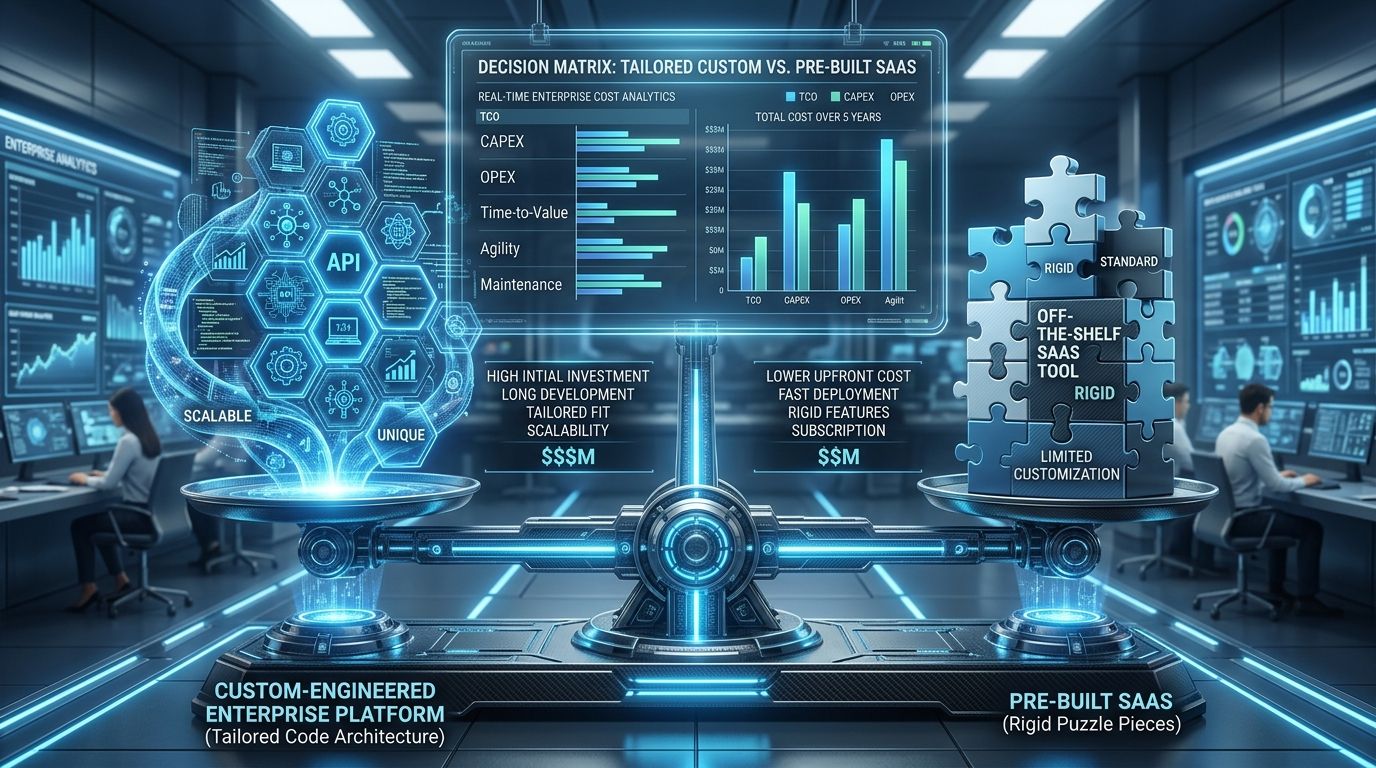
Total Cost of Ownership: Subscription vs Custom Software
Executive evaluations often make the mistake of comparing a \$50/month SaaS subscription directly against a \$50,000 custom development proposal. This ignores the Total Cost of Ownership (TCO) over a 3- to 5-year operating horizon.
Buying SaaS: Complete Cost Model
SaaS appears cheap in Year 1. But as seat counts expand, premium tiers unlock, and hidden employee hours spent on manual workarounds accumulate, recurring operational costs grow significantly.
Building Custom: Complete Cost Model
Custom software requires capital expenditure in Year 1. It never eliminates recurring costs: server hosting, security patches, framework updates, and support remain permanent obligations.
Custom software is an investment in a company-owned asset; SaaS is a recurring operational utility. The decision must hinge on which investment produces greater operational velocity, margins, and enterprise value over the next five years.
Per-Seat Pricing and the Growth Penalty
The commercial mechanics of modern SaaS are overwhelmingly built on Per-Seat Subscriptions. For 10 employees at \$40/seat/month (\$400/month), this model is extraordinarily cost-effective.
However, per-seat pricing introduces a structural penalty as an organization scales:
- At 150 employees across sales, operations, support, and warehouse logistics, that same tool costs \$6,000/month (\$72,000 annually).
- Companies often react by rationing licenses—preventing warehouse staff or field technicians from accessing the system. This resurrects the "Human API" problem and breeds shadow spreadsheets.
- In high-volume, low-margin operations (logistics, retail distribution, field contracting), high per-seat software fees for frontline employees directly damage unit economics.
Vendor Lock-in vs Custom Dependency: Managing the Tradeoff
Proponents of custom software cite "avoiding vendor lock-in" as a primary motivation. While vendor lock-in is real, building custom software does not grant absolute independence.
Custom software simply exchanges vendor lock-in for engineering dependency:
- You become dependent on the development team or agency that built the code.
- You become dependent on the underlying frameworks, open-source libraries, and cloud providers.
- If the architecture is undocumented, you become hostage to the single developer who understands how the database is wired.
The goal is not the naive elimination of dependencies, but the deliberate management of dependencies: ensuring that your company owns its source code repositories, retains root cloud access, enforces architectural documentation, and builds on mainstream software stacks.
Data Ownership vs Architectural Control
In any commercial SaaS contract, the legal terms state that you "own your customer data." However, legal ownership is fundamentally different from Architectural Control:
- Can you query your entire multi-year transaction database with zero API rate limits?
- Can you execute complex real-time analytical joins across operations, telemetry, and accounting without exporting CSVs?
- Does the vendor permit automated nightly physical database backups directly to your private S3 bucket?
- What happens if the vendor changes their API schema, doubles their pricing, or is acquired by a competitor?
Custom software grants architectural sovereignty over your data schema, indexing strategies, audit logs, and retention policies. But with that power comes absolute responsibility: your team must maintain database backups, disaster recovery failover, encryption at rest, and regulatory compliance.
The Power of Granular Roles: Connecting Process to Security
A major breaking point for growing companies using off-the-shelf SaaS is role authorization. Generic SaaS platforms typically provide rigid, blunt role classifications: Admin, Manager, and User.
Real-world business operations demand much finer boundaries:
- A sales representative must view only their assigned regional leads and cannot export customer phone numbers to CSV.
- A branch manager can approve discounts up to 10%, while discounts above 10% automatically escalate to the finance director.
- Operations staff must inspect shipping manifests and delivery deadlines, but must have zero visibility into customer contract values or staff commission rates.
When commercial software cannot enforce these distinctions, businesses either leak sensitive internal data or create fragmented shadow systems. In our previous architectural guide, Building Role-Based Access Control for Modern SaaS Platforms, we examined how to engineer tenant-scoped, granular permission matrices that eliminate these vulnerabilities at the API and database tiers.
Comprehensive Decision Matrix: Build vs Buy vs Hybrid
The table below provides an objective evaluation framework across 13 critical operational dimensions:
| Operational Factor | Buy Off-the-Shelf SaaS | Build Custom Software | Hybrid (Integrate & Extend) |
|---|---|---|---|
| Time to Launch | Days to weeks. Immediate availability. | 3 to 9 months for robust MVP. | 4 to 8 weeks for custom integration layer. |
| Upfront Capital Cost | Minimal setup and onboarding fees. | Significant capital investment in engineering. | Moderate investment in targeted development. |
| Ongoing Ownership Cost | Predictable monthly fees, but compounds with headcount. | Cloud hosting, security patches, maintenance retainer. | Standard SaaS subscriptions plus light middleware hosting. |
| Workflow Fit | Generic. Requires altering internal habits to fit product. | 100% exact fit to company's proprietary processes. | High fit for connective tissue; standard for point tools. |
| Custom Business Logic | Limited to vendor custom fields and basic conditional rules. | Unconstrained. Any algorithmic or operational rule supported. | Handled cleanly inside the custom integration layer. |
| Roadmap Control | Zero. Feature requests depend on vendor priorities. | Complete. You decide what features get built and when. | Sovereign control over the middleware; none over point tools. |
| Maintenance Burden | Zero engineering burden; vendor manages everything. | Full responsibility for bugs, updates, and monitoring. | Low. Vendor maintains apps; team monitors API bridges. |
| Vendor Dependency | High. Vulnerable to price hikes, API changes, shutdowns. | Replaced by dependency on engineering team/agency. | Diversified across multiple providers and owned middleware. |
| Data Control | Contractual ownership; restricted query access & rate limits. | Absolute physical and architectural database sovereignty. | Unified data lake or central warehouse synchronization. |
| Scalability Mechanics | Vendor handles infrastructure; costs scale per seat. | Requires proper cloud architecture (Multi-Tenant / Serverless). | Scales efficiently by offloading computation to point tools. |
| Internal Expertise Needed | Basic software administrator / power user. | Product management, QA, and technical oversight. | Familiarity with APIs, webhooks, and automation pipelines. |
| Security Responsibility | Vendor manages infrastructure, certifications, patches. | Company must enforce auth, encryption, and backups. | Shared responsibility across vendors and custom endpoints. |
| Competitive Advantage | Zero. Competitors can purchase the identical tool tomorrow. | High. Proprietary operational efficiency becomes a barrier to entry. | Moderate to High. Unique workflow execution across tools. |
The Strategic Decision Tree
When leadership meets to decide on software investments, use this deterministic decision tree to navigate the choices logically:
Custom Software Warning Signs: 10 Operational Signals
If your organization exhibits three or more of the following symptoms, your off-the-shelf software stack is actively constraining business performance:
- Employees Repeatedly Copy Data: Staff spend hours transcribing information between unintegrated applications.
- Critical Workflows Live in Fragile Spreadsheets: The operational backbone relies on shared sheets with complex formulas that break easily.
- Shadow IT Proliferates: Department heads purchase unofficial tools because the official software fails to support their needs.
- Overlapping Tool Subscriptions: You pay for three separate SaaS platforms with 60% overlapping functionality, yet none delivers a unified view.
- Core Business Rules Cannot Be Represented: Unique pricing logic, margin thresholds, or dispatch algorithms must be calculated manually.
- Executive Reporting Requires Manual Reconciliation: Answering basic questions like "What is our gross margin per operational cohort this week?" requires merging CSVs.
- Conflicting Sources of Truth: Sales reports 120 accounts, Operations counts 112 projects, and Accounting shows 104 paying clients. Nobody knows which is correct.
- Scaling Headcount Strictly to Move Data: As revenue grows, you are forced to hire administrative coordinators whose primary function is moving files between teams.
- Customer Delays Caused by Internal Handoffs: Clients experience delays because internal handoffs stalled in unmonitored inboxes.
- Customer Portal Limitations: Clients demand real-time order tracking or self-service dispatch, but your SaaS cannot expose an authenticated client portal.
When NOT to Build Custom Software (Don't Build Yet)
To maintain strategic discipline, every business owner should understand when NOT to build custom software:
- When your business process changes weekly: If your workflow is still being reinvented every Tuesday, building software will freeze an unvalidated process in place. Standardize on spreadsheets until the process stabilizes.
- When you haven't mapped the process on paper: If you cannot explain your operational pipeline with boxes and arrows on a whiteboard, software developers cannot guess it for you.
- When an existing SaaS already solves 90% of the problem: Do not build an entire product to address an aesthetic annoyance.
- When the motivation is executive ego: Building proprietary software simply to say "we are a tech company" is an expensive distraction from actual business value.
- When you have zero plan for ongoing maintenance: Software requires cloud hosting, security monitoring, and regular dependency maintenance. Without an operational plan, the project will decay.
- When frontline staff haven't been consulted: Management assumptions about how work gets done are frequently wrong. If the operators executing the workflow do not contribute to discovery, they will reject the finished tool.
The Golden Rule: Don't Automate a Bad Process
One of the most dangerous traps in digital transformation is attempting to automate an inefficient, bloated internal process. If your business requires four manual signatures, three duplicate spreadsheets, and two verbal approvals to order supplies, building custom software results in a faster, more expensive bad process.
Before writing a single line of code, execute ruthless Process Discovery:
- Why does this approval exist? Can it be replaced with a programmatic threshold?
- Why is this data entered twice? Which system is the definitive Source of Truth?
- What are the edge cases? What happens when a customer cancels mid-fulfillment, a payment fails, or an item is out of stock?
- Can we eliminate three unnecessary steps entirely before automating the remaining two?
Real-World Operational Scenario: The Sales-to-Operations Handoff
Consider a specialized commercial cleaning and facility maintenance provider with 60 staff:
- Sales uses HubSpot to manage prospect inquiries and proposals.
- Pricing is calculated in an Excel workbook factoring square footage, cleaning frequencies, and night-shift labor rates.
- Manager approval happens over email.
- Operations assigns cleaning crews and schedules site visits using WhatsApp group chats.
- Invoicing is executed manually in QuickBooks by copying customer details off WhatsApp.
Evaluating Solutions for the Sales-to-Operations Handoff
How a disciplined business evaluates architectural approaches
The Counter-Example: Don't Build a CRM Just Because You Can
Now consider the inverse scenario: A boutique consulting firm with 12 consultants wants to manage its sales pipeline. An enthusiastic software developer on the team suggests: "Why pay Salesforce or HubSpot \$100 per seat? I can build us our own custom CRM in three weeks!"
This is a classic trap. The consulting firm has standard B2B sales cycles: contacts, deals, notes, email tracking, and meeting reminders.
If they build a custom CRM:
- Who maintains email integration when Google Workspace or Microsoft Outlook updates its OAuth security standards?
- Who builds mobile push notifications, offline calendar synchronization, and automated email sequencing?
- When that internal developer resigns, who fixes bugs in the custom CRM?
For standard workflows, paying for SaaS is an extraordinary bargain. You are not merely renting software; you are outsourcing maintenance, security patches, infrastructure, and mobile compatibility to thousands of specialized vendor engineers.
The Kamashka Technology Perspective
At Kamashka Technology, our engineering team designs and builds custom enterprise platforms, cloud architectures, and specialized business automation systems.
Yet when prospective clients consult with us, our first question is never: "What features do you want us to build?"
Our first question is always: "What is the actual operational problem, and does software development represent the most effective way to solve it?"
In many discovery sessions, we advise clients against building full platforms from scratch. Often, the smartest business decision is configuring an established SaaS platform, structuring a clean database schema, or building a high-speed integration layer that connects their existing tools. But when an enterprise workflow represents a genuine competitive differentiator—where off-the-shelf software would permanently compromise client experience or operational velocity—we engineer robust, secure, scalable custom software designed to become an enduring enterprise asset.
Whether your business requires targeted system integration, a custom operations portal, or a scalable multi-tenant SaaS architecture, building software must always be guided by business economics, process clarity, and long-term maintainability.
Planning to Build or Scale a Modern SaaS Platform?
Designing production SaaS demands deliberate alignment between customer requirements, tenant isolation boundaries, RBAC systems, and operational economics. Kamashka engineers scalable, resilient multi-tenant and hybrid cloud software architectures.
The Complete SaaS Architecture & Engineering Series
A 6-part deep architectural series covering tenancy models, access control, data isolation, and cloud scaling.
A comprehensive architectural evaluation of isolation boundaries, operational trade-offs, and cloud economics.
A production guide to tenant-scoped authorization, fine-grained permission models, and defensive testing.
A strategic decision guide evaluating workflow uniqueness, TCO, integration overhead, and build-vs-buy tradeoffs.
Architectural analysis of cloud cost inflection points, database bottlenecks, and early efficiency design.
In-depth implementation guide to Row-Level Security, tenant-scoped storage, cache safety, RAG retrieval boundaries, and background workers.
An architectural guide to operational readiness: safe migrations, tested restores, idempotency, observability, and failure recovery.